Myth vs Reality
They are the navigation system for the scanner
Without finder patterns, no standard QR scanner could reliably locate and read the code. They are functional, not decorative.
Everyday Objects
You have scanned hundreds of QR codes without thinking about those three squares. They are not decoration, they are what make scanning possible at all.
Quick answer
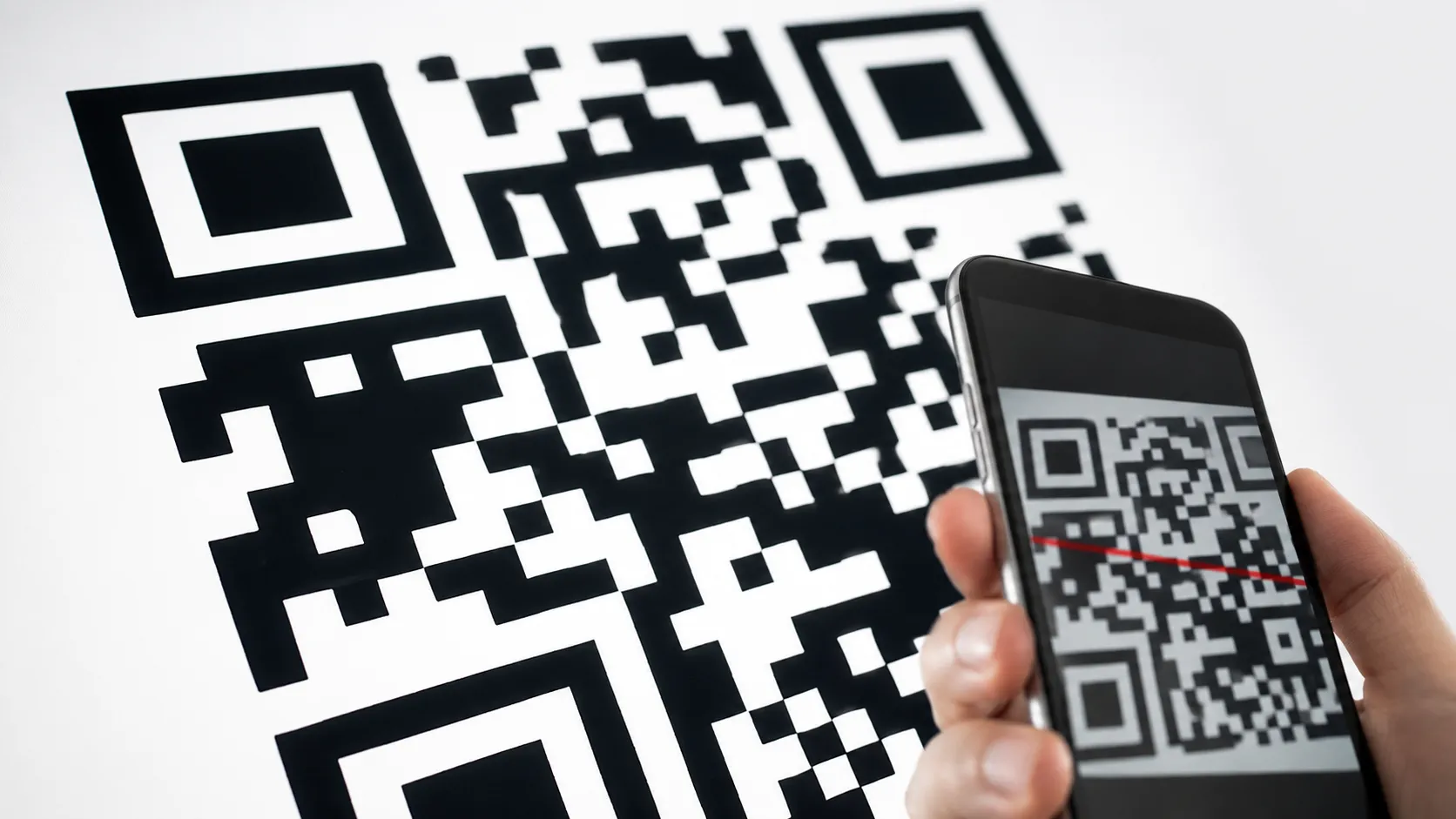
The three large squares in a QR code are called finder patterns. Their job is to help a scanner immediately locate and orient the code. When a camera points at a QR code, it does not know where the code begins or which way is up. The three finder patterns give the scanner three known reference points. By detecting them, the scanner can calculate the exact position, size, tilt, and rotation of the entire code. Only three corners have finder patterns, not four. That asymmetry is intentional. It tells the scanner which corner is which and prevents reading the code upside down or mirrored.
They are called finder patterns
The three squares help scanners locate and orient the QR code in any position or angle.
Only three corners are used
The missing fourth corner tells the scanner which way the code is facing.
Each square has the same ratio
The pattern is always 7×7 modules with a specific 1:1:3:1:1 stripe ratio so it stands out from any content.
Myth: they store data
Finder patterns carry no data. They are purely navigational markers for the scanner.
Everyday Objects
Bigger QR codes add a small alignment pattern near the fourth corner. It helps the scanner correct distortion across a larger grid, but it works alongside, not instead of, the three finder patterns.
Myth vs Reality
Without finder patterns, no standard QR scanner could reliably locate and read the code. They are functional, not decorative.
Continue learning
Everyday Objects
Both explain how simple-looking patterns carry functional information.
Everyday Objects
Both reveal intentional design details that look accidental.
Everyday Objects
Both explain familiar visual conventions that quietly guide how we read things.