Visual answer
The Evolution of Sholes' Keyboard Layout (1868–1878)
From initial two-row alphabetical keys to the 1878 Remington No. 2 QWERTY design.
1868 Alphabetical Prototype
Sholes' first machine arranged 28 keys in two alphabetical rows (3 4 5 6 7 8 9 - A E I O U Y / B C D F G H J K L M / N P Q R S T V W X Z).
Telegraph Operator Testing
Telegraph operators transcribing Morse code complained that adjacent letters like S, Z, and E caused confusion and typebar collisions.
1878 Remington No. 2 Patent
Sholes and James Densmore finalized QWERTYUIOP on the top row, introducing the Shift key for uppercase letters.
Typebar Mechanics
1. Mechanical Constraints: Up-stroke Typebars and Clashing Key Arms
The earliest commercial typewriters featured 'blind' up-stroke mechanisms: metal typebars hung in a circular basket below the paper roller. Pressing a key swung the typebar upward to strike an inked ribbon against the underside of the paper.
If a typist struck two adjacent typebars in rapid succession, the metal arms would clash and jam together at the central printing point. To prevent this, Sholes separated common English letter pairs (digraphs like TH, ST, and SH) so their mechanical typebars were positioned on opposite sides of the circular basket.
Telegraphy Influence
2. The Telegraphy Connection: Yasuoka's Historical Findings
Historical research by Kyoto University scholars Koichi and Motoko Yasuoka (2011) revealed that QWERTY was not created solely by a theoretical frequency study. Sholes' prototype was tested extensively by Morse code telegraph operators.
Telegraphers needed to transcribe incoming Morse code messages at high speed. Morse code uses similar signals for letters like Z (• • • •) and SE (• • • •). To help operators quickly distinguish confusing letter sequences during rapid transcription, Sholes adjusted key locations based on operator feedback.
Path Dependence
3. Path Dependence: Why QWERTY Won
In 1882, Ms. Longley (founder of the Cincinnati Type-Writer Hall) introduced eight-finger touch typing. In 1888, Frank Edward McGurrin won a famous speed-typing contest using touch-typing on a Remington QWERTY machine.
Once thousands of typists and business schools were trained on QWERTY, switching to a more ergonomic layout became economically impractical—a textbook example of economic 'path dependence' (or QWERTY lock-in).
Even when August Dvorak patented the Dvorak Simplified Keyboard in 1936—placing all vowels on the home row—the global switching cost was too high for businesses to adopt it.
F & J Homing Bumps
4. Tactile Navigation: The F and J Homing Bumps
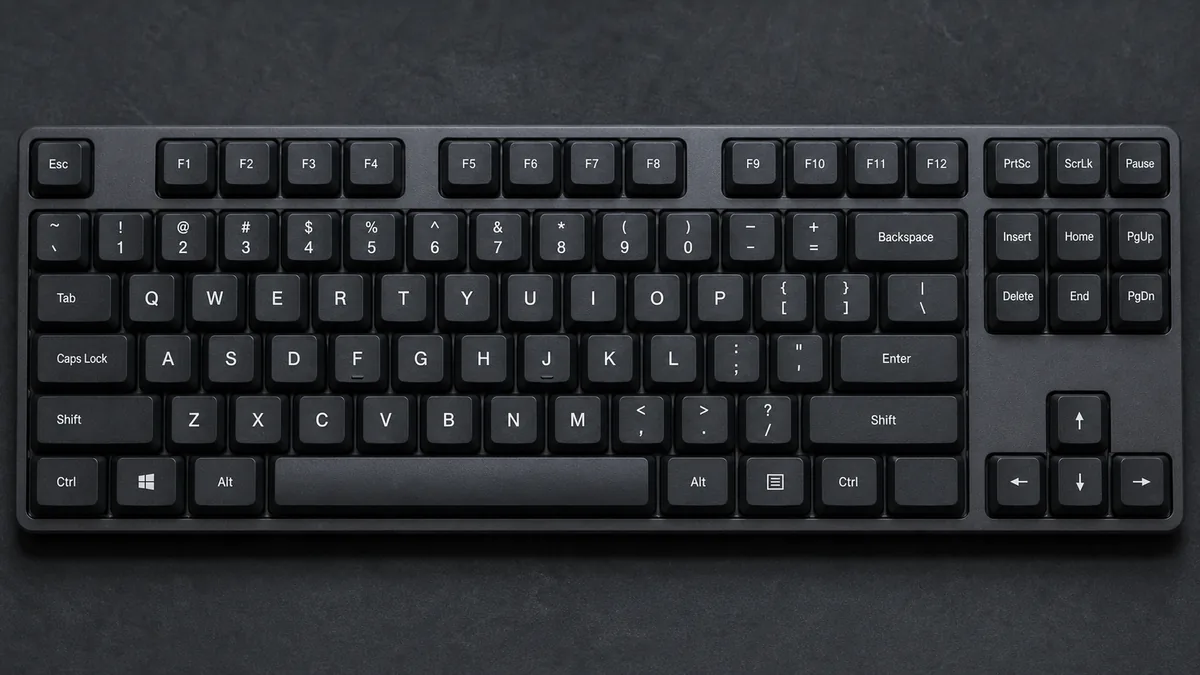
Look at your keyboard right now. The F and J keys have small raised bumps or ridges. Patented by June E. Harmelson in 2002, these tactile ridges allow touch typists to position their index fingers on the home row without looking down at the keyboard.
Popular Myth
Myth vs Historical Reality
What people think
QWERTY was designed specifically to slow down typists.
A popular urban legend claims Sholes intentionally designed an inefficient layout to slow people down.
What actually happens
Designed to Allow Faster Typing Without Jams
Sholes designed QWERTY so that typists could type faster *without stopping to unjam metal typebars*. It maximized operational throughput for mechanical typewriters.
Quick answers
Common questions
Why does the word 'TYPEWRITER' fit on the top row of QWERTY? +
Early typewriter salesmen in the 1870s wanted to easily demonstrate typing the brand name 'TYPEWRITER' quickly using only keys on the top row.
Are there other keyboard layouts used internationally? +
Yes. France uses AZERTY, Germany and Central Europe use QWERTZ, and Turkey uses the ergonomic F-keyboard.